
Sports Video Manager
Sports Video Manager
A local-first match video library and review tool for families and small training setups.
Sports Video Manager organizes match videos stored across local drives, external disks, NAS folders or shared network locations. For each match, you can track the athlete, opponent, event, location, score, tags and overall notes, attach multiple video angles, then review key moments with slow motion, frame stepping, keyboard shortcuts, snapshots, drawing tools and timestamp notes. The app stores paths and metadata by default, while original videos stay on your own device.
Core features
- Manage match videos from local drives, external disks, NAS folders and network shares
- Search and filter by athlete, opponent, event, location, date, result and tags
- Attach multiple video angles to one match and track review status per video
- Add timestamp notes and tags, then jump back to key moments with one click
- Use slow motion, frame stepping, seeking, snapshots and drawing tools for movement analysis
- Keyboard shortcuts cover playback, volume, frame stepping, fullscreen, snapshots and drawing
- Local-first by default, with no original video upload and SQLite export/import
- Run in a browser or install it as a Windows desktop app
Who it is for
- Families and parents who need a long-term match video library
- Small training groups and coaches reviewing matches on a local computer or LAN
- Athletes who want to track technical issues with tags, notes and key moments
Screenshots
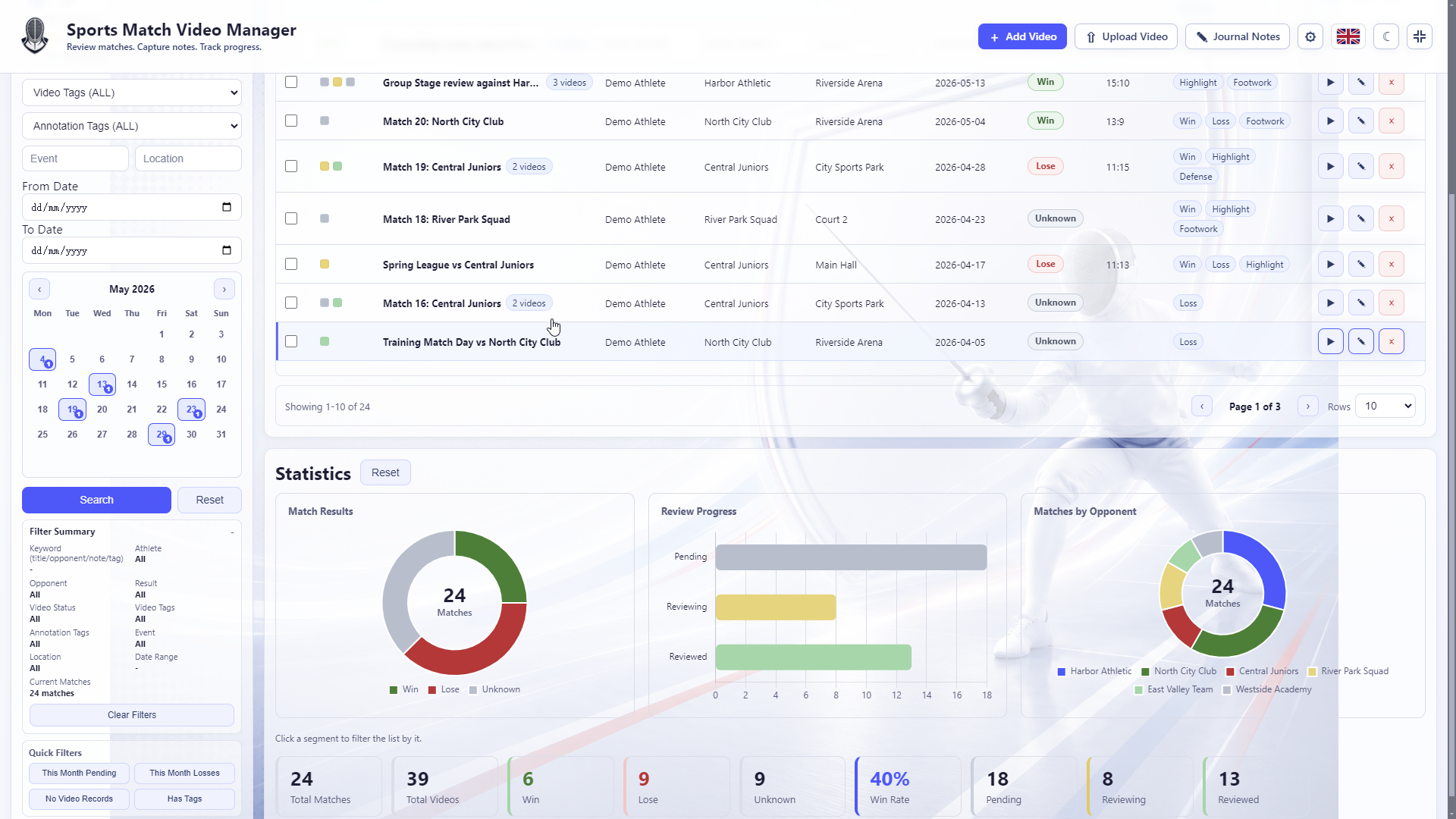
Manage match videos, filters and review status in one place
Open image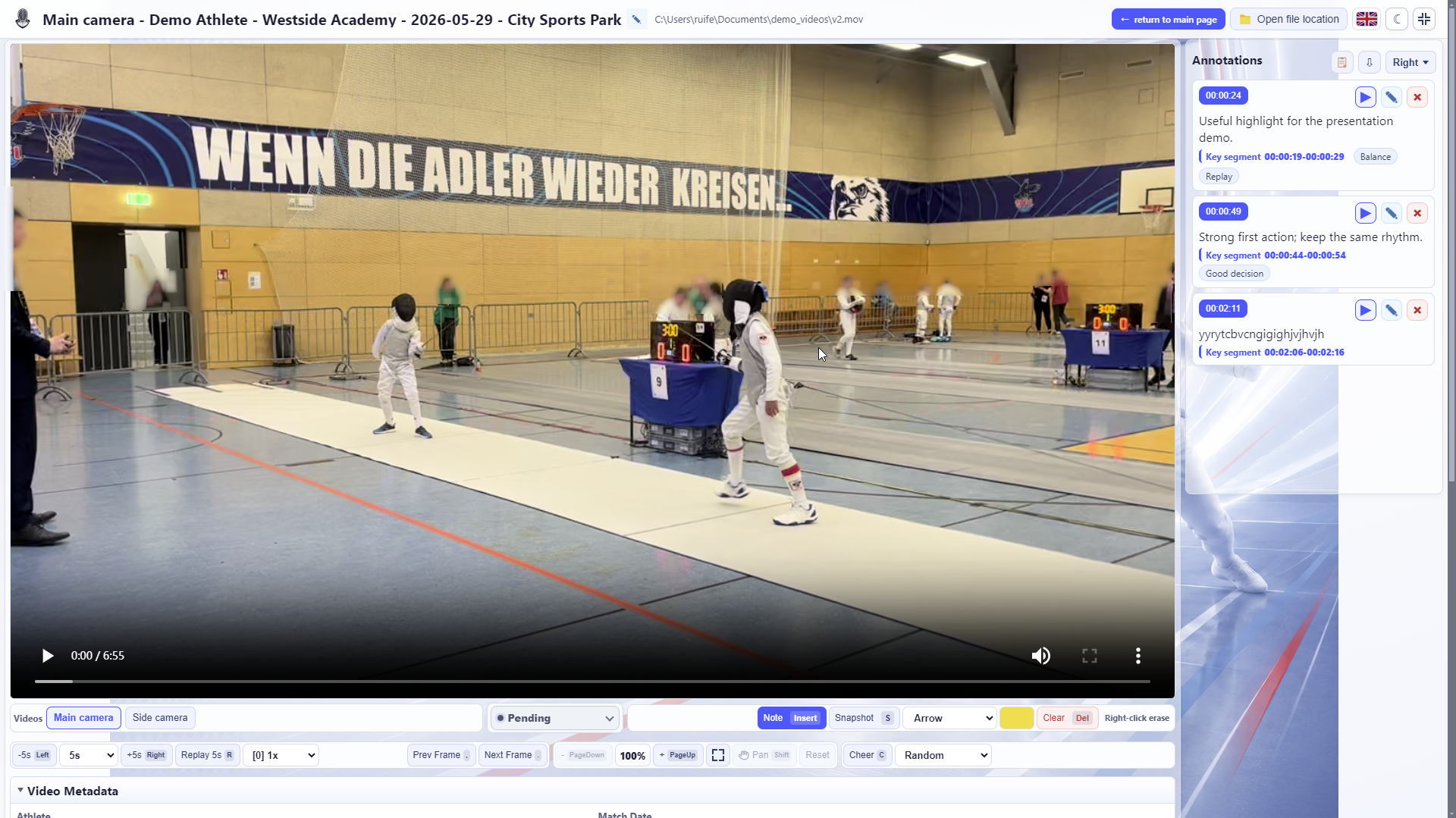
Review key moments with slow motion, frame stepping, timestamp notes and drawing tools
Open image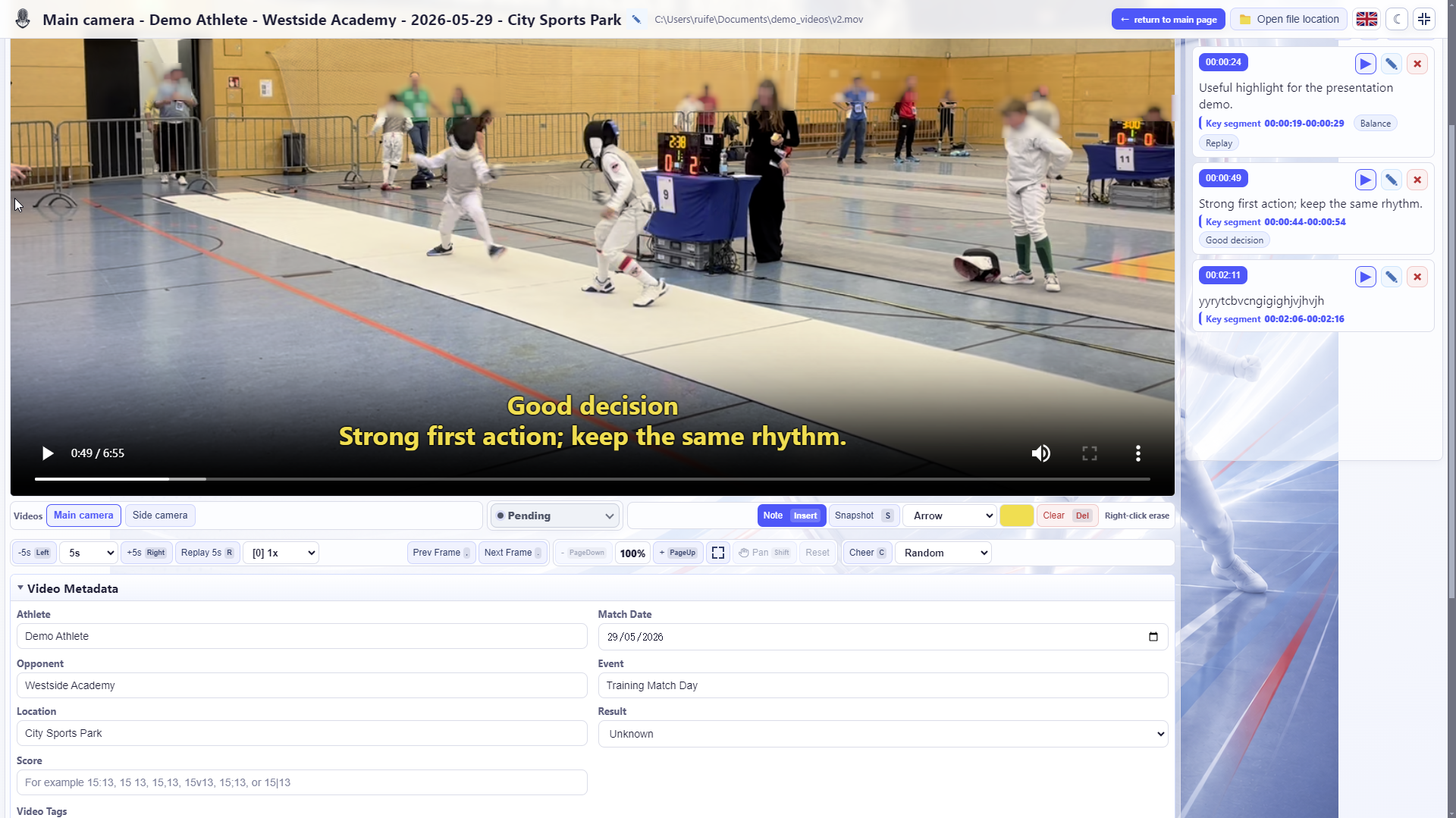
Track review topics over time with tags and notes
Open image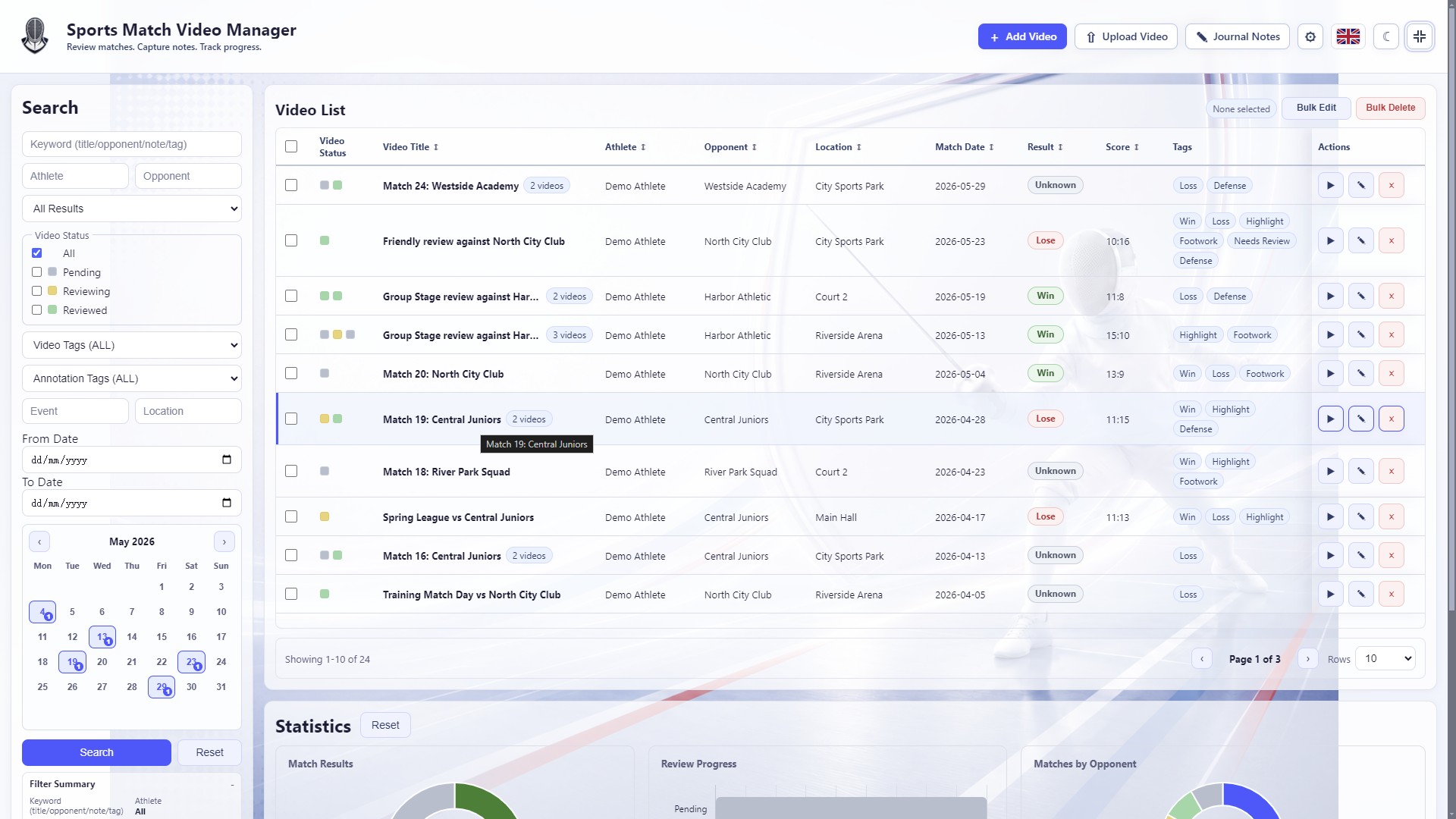
Filter match videos by athlete, opponent, date, result, tags and review status
Open image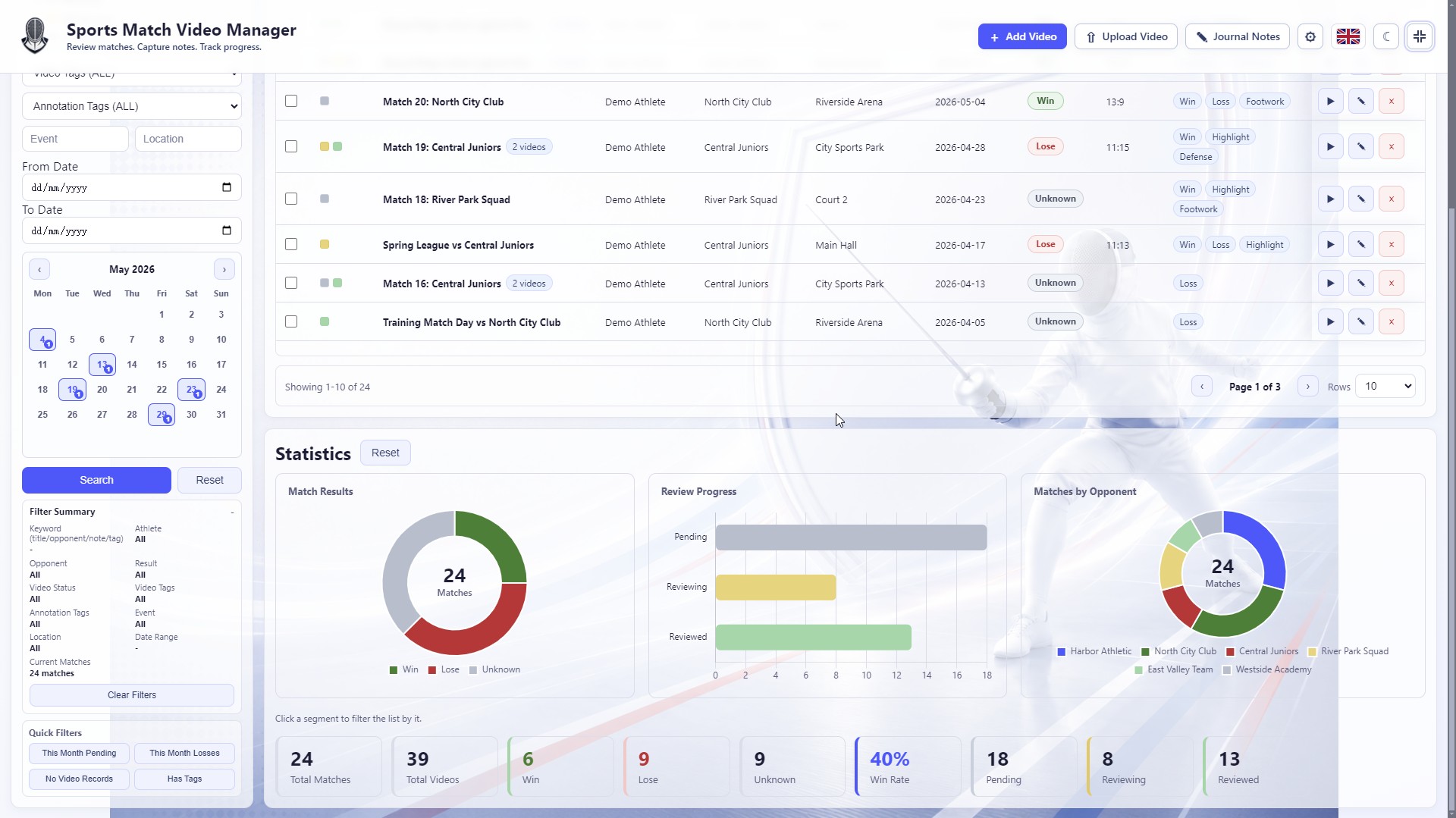
Use result, review-progress and opponent charts to understand the local library
Open image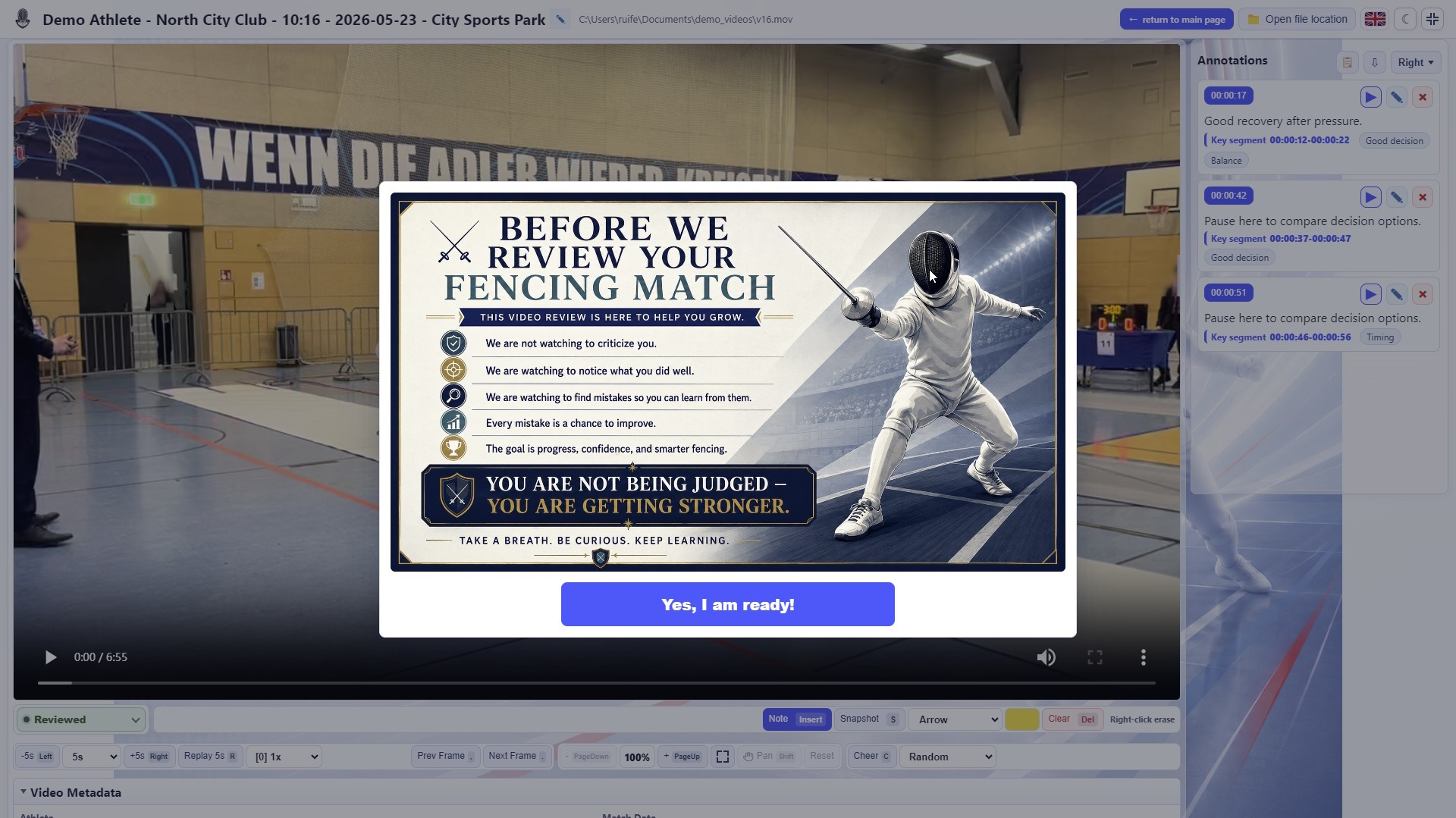
Show a readiness prompt before review so athletes approach the video constructively
Open image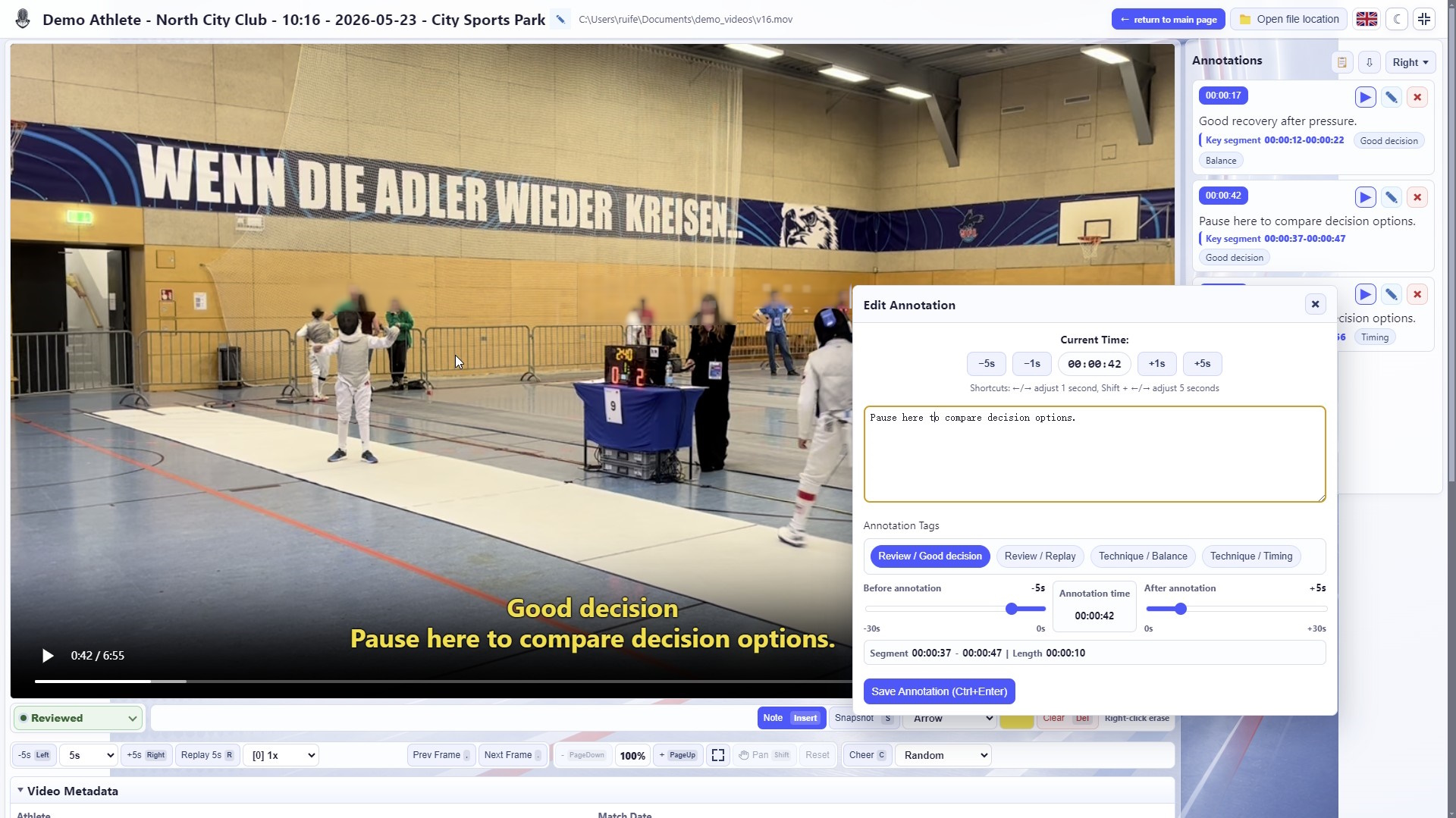
Adjust note time, clip range and tags to save jumpable key moments
Open image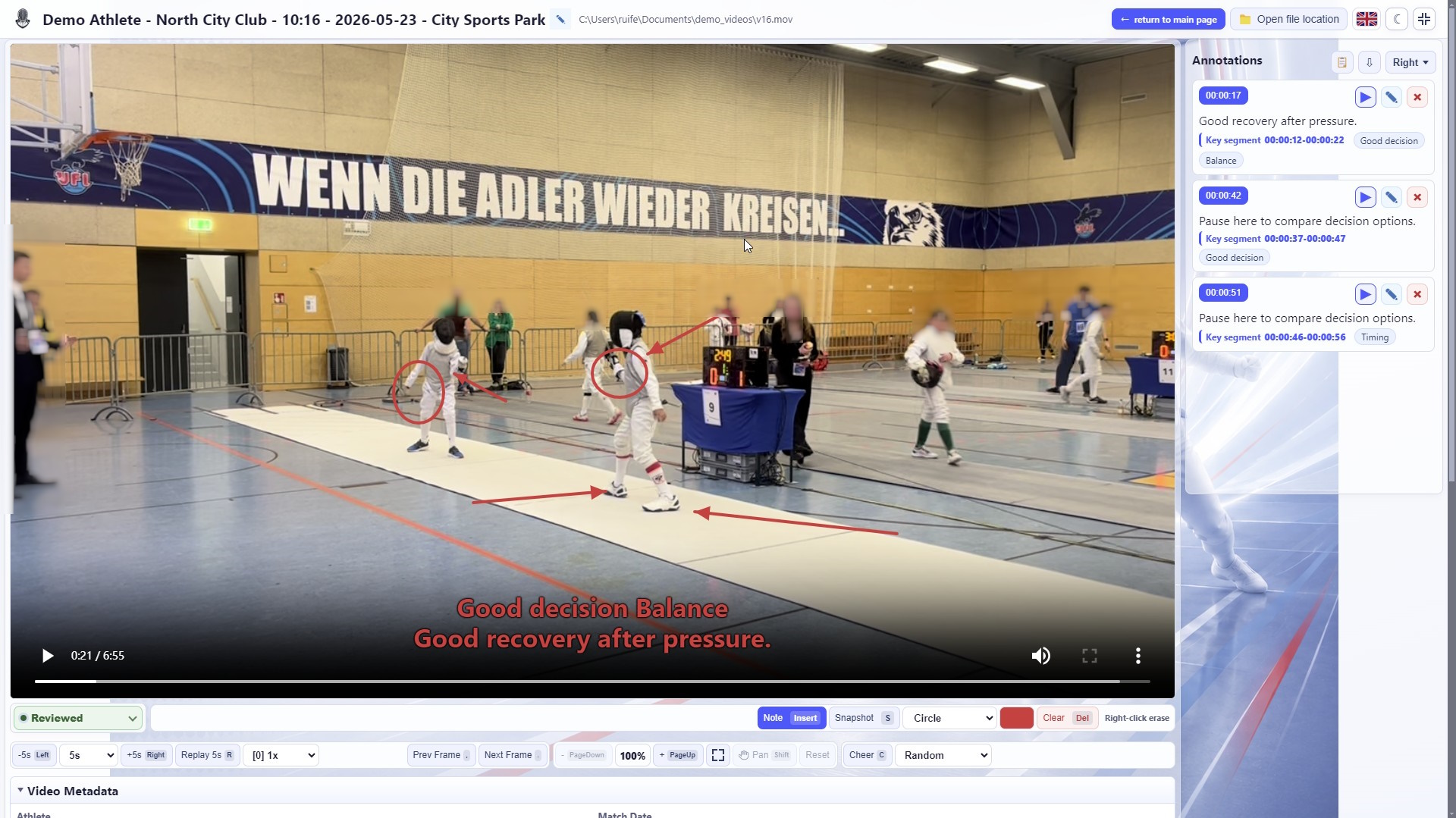
Draw directly on the video to explain position, route and movement choices
Open image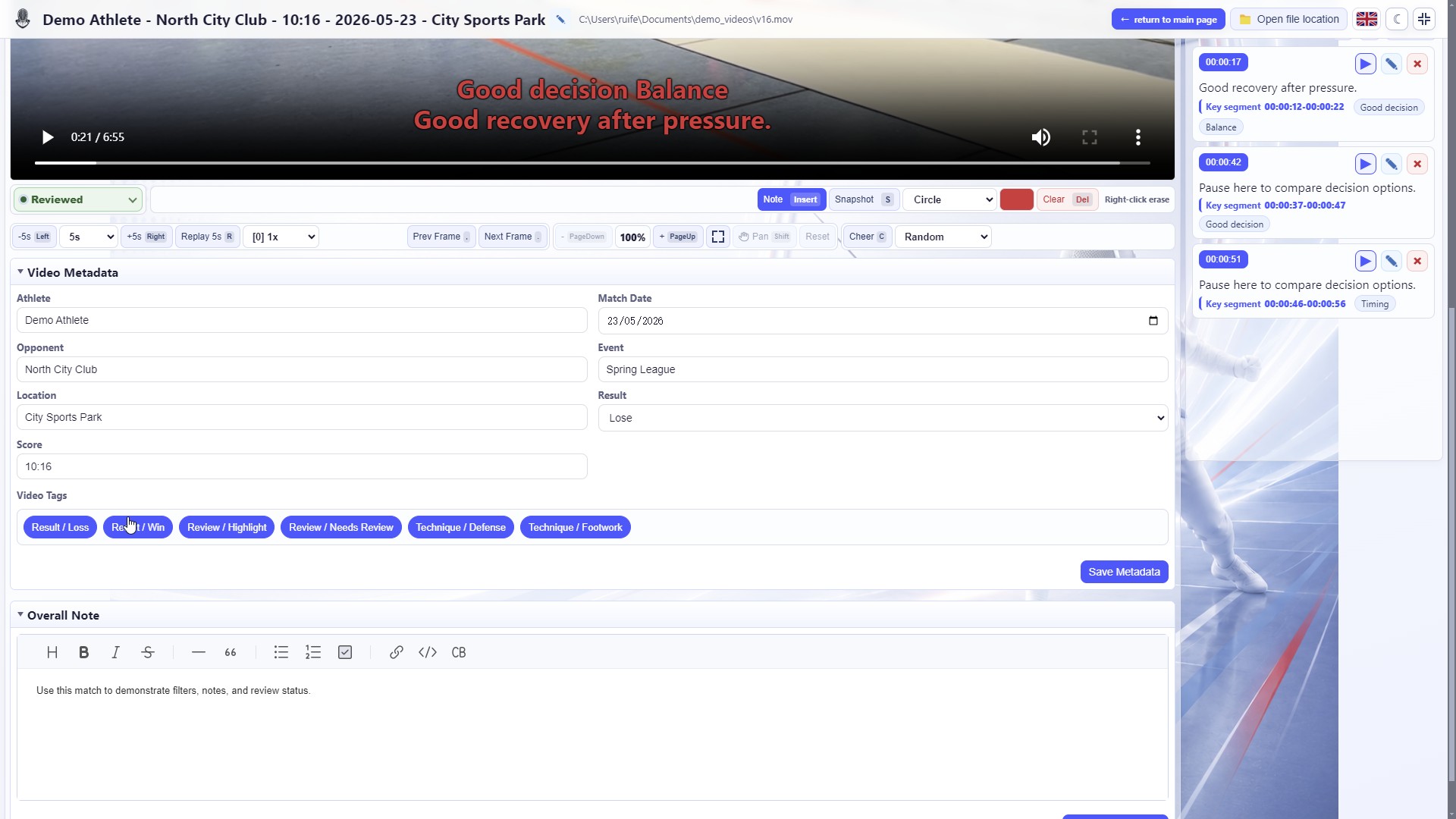
Record overall match notes to keep long-term training context
Open image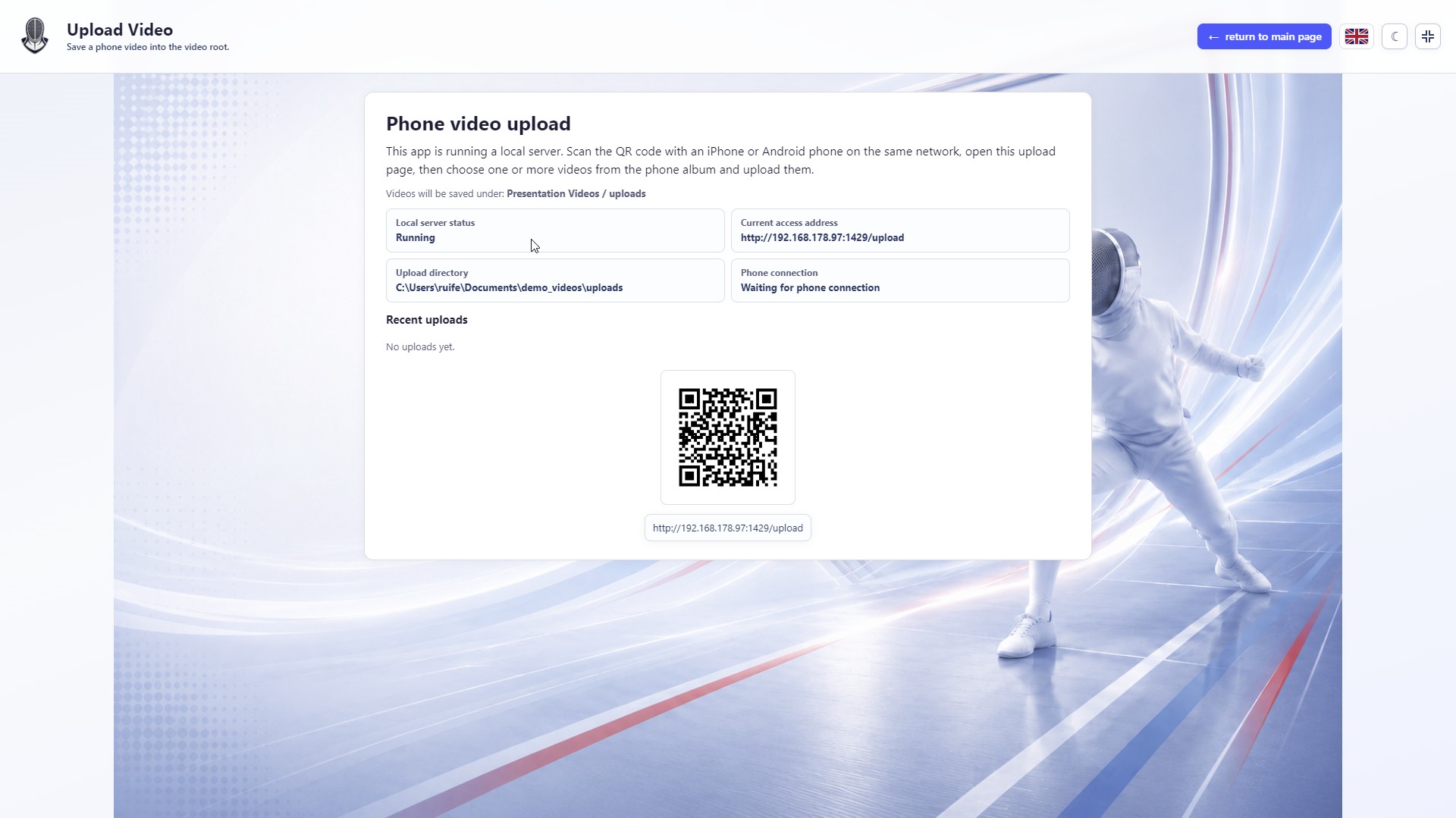
Upload phone videos to the local video folder through a LAN URL and QR code
Open image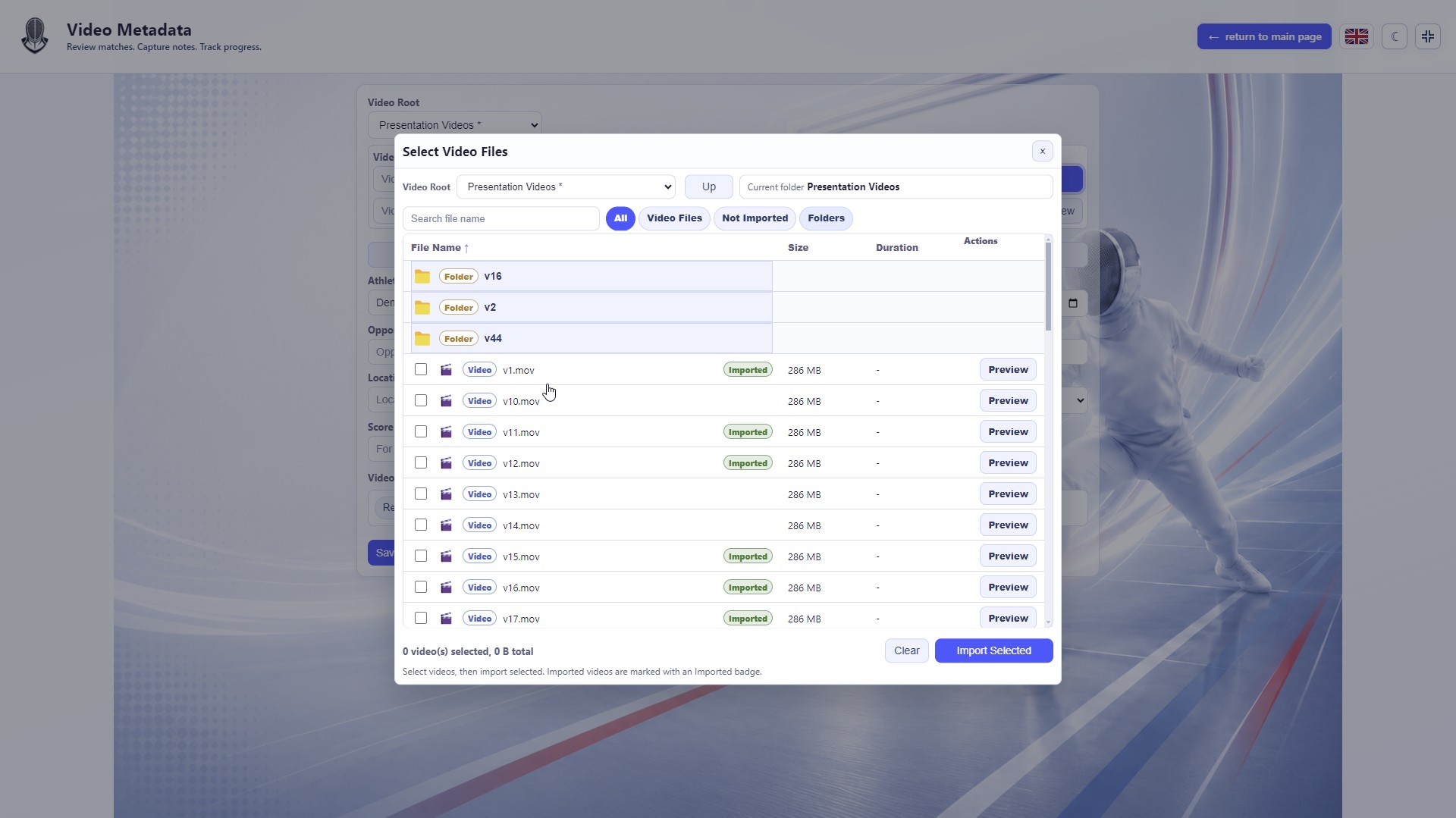
Browse a local video root, choose files and see which videos are already imported
Open image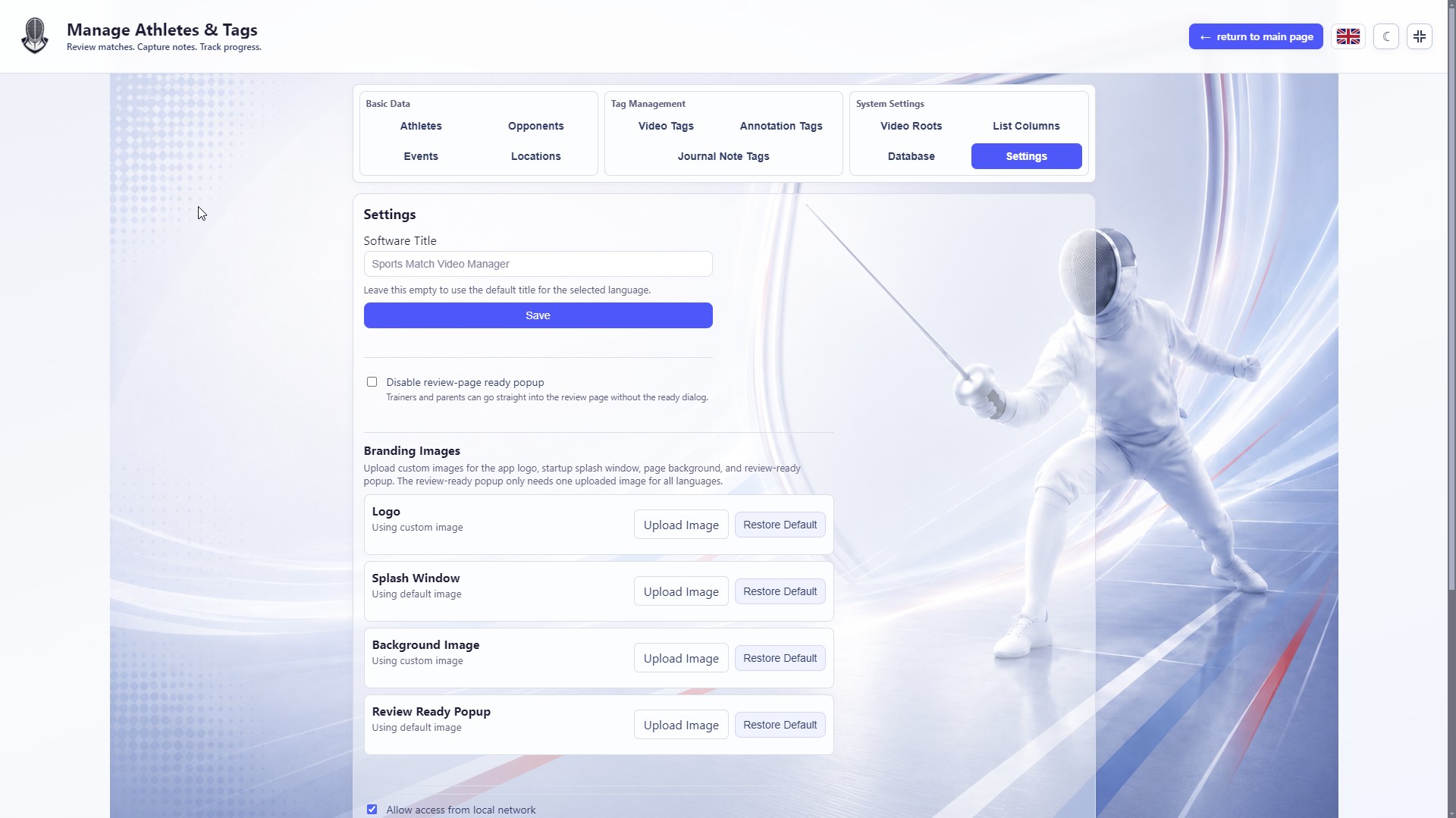
Enable LAN access in settings and generate a phone-friendly URL and QR code
Open image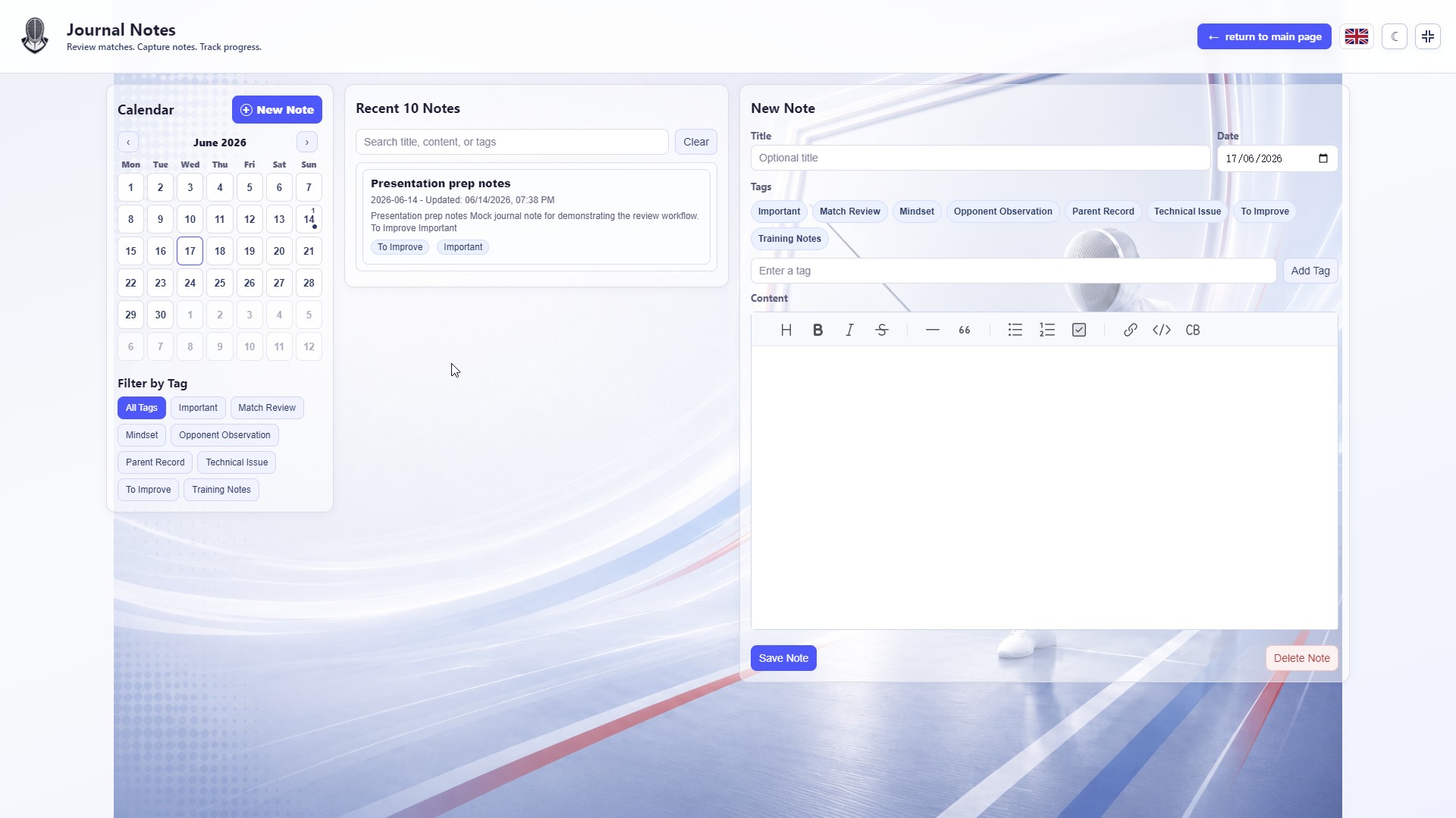
Review video with timestamp notes, tags, playback speed and review status
Open imageContact
Questions, feedback or download issues can be sent by email.
- Studio
- Tide & Forest Studio / 潮林工作室
- Developer
- 张锐锋
- Location
- Germany
- Website
- https://tf-studio.com