
Sports Video Manager
Sports Video Manager
A local-first match video library and review tool for families and small training setups.
Sports Video Manager organizes match videos stored across local drives, external disks, NAS folders or shared network locations. For each match, you can track the athlete, opponent, event, location, score, tags and overall notes, attach multiple video angles, then review key moments with slow motion, frame stepping, keyboard shortcuts, snapshots, drawing tools and timestamp notes. The app stores paths and metadata by default, while original videos stay on your own device.
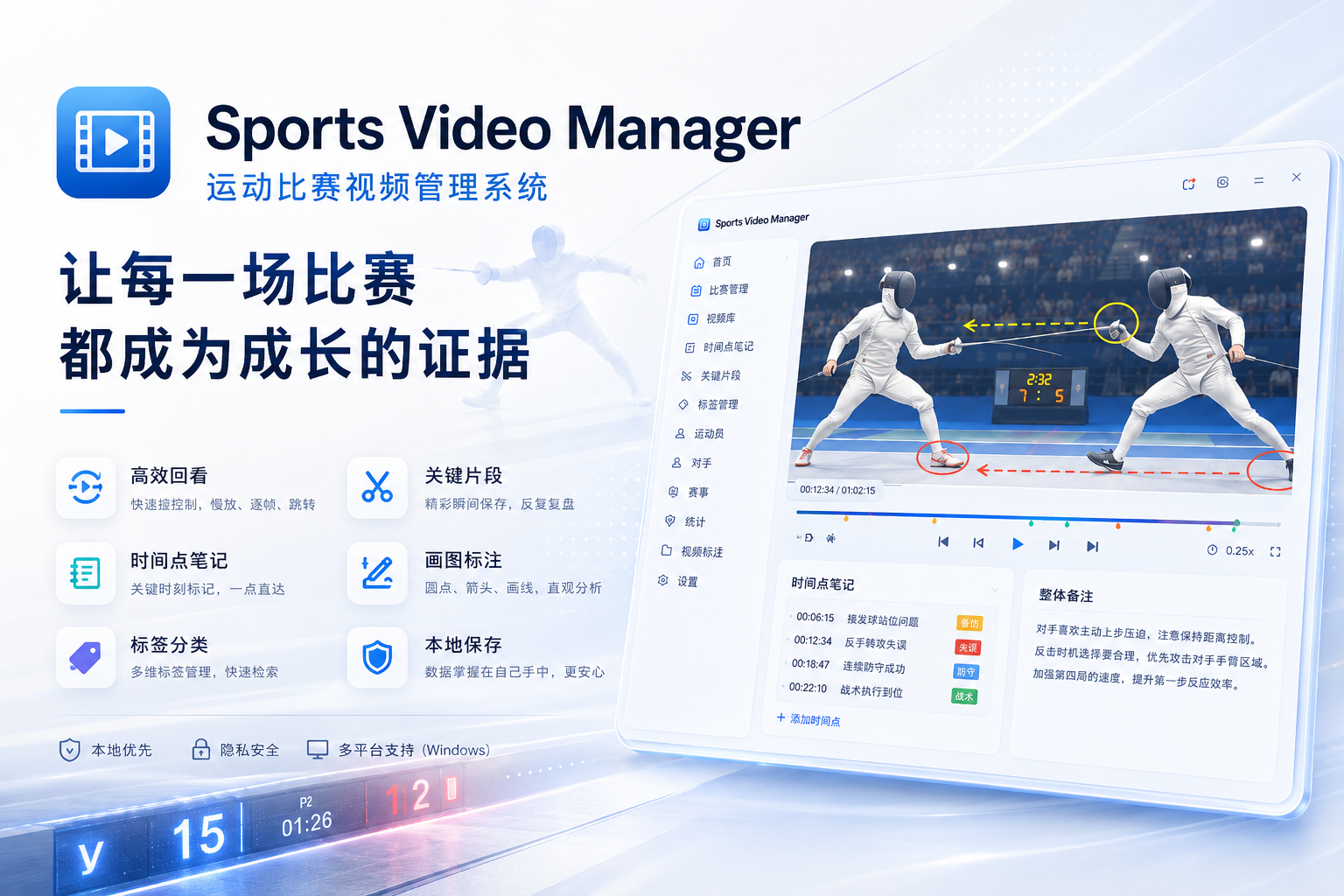
Local-first · Your data stays yours
V1.5.4
01Core features
Core features
Focused capabilities shaped around real workflows, with clarity and dependable everyday use in mind.
- 01
Manage match videos from local drives, external disks, NAS folders and network shares
- 02
Search and filter by athlete, opponent, event, location, date, result and tags
- 03
Attach multiple video angles to one match and track review status per video
- 04
Add timestamp notes and tags, then jump back to key moments with one click
- 05
Use slow motion, frame stepping, seeking, snapshots and drawing tools for movement analysis
- 06
Keyboard shortcuts cover playback, volume, frame stepping, fullscreen, snapshots and drawing
- 07
Keep original videos local by default, with SQLite database export and import
- 08
Run in a browser or install it as a Windows desktop app
02Who it is for
Who it is for
Designed for people who want tools they can rely on over time, on their own devices and network.
- 01
Families and parents who need a long-term match video library
- 02
Small training groups and coaches reviewing matches on a local computer or LAN
- 03
Athletes who want to track technical issues with tags, notes and key moments
03Screenshots
Screenshots
Explore the real interface, information hierarchy and practical details of the product.
10 interface views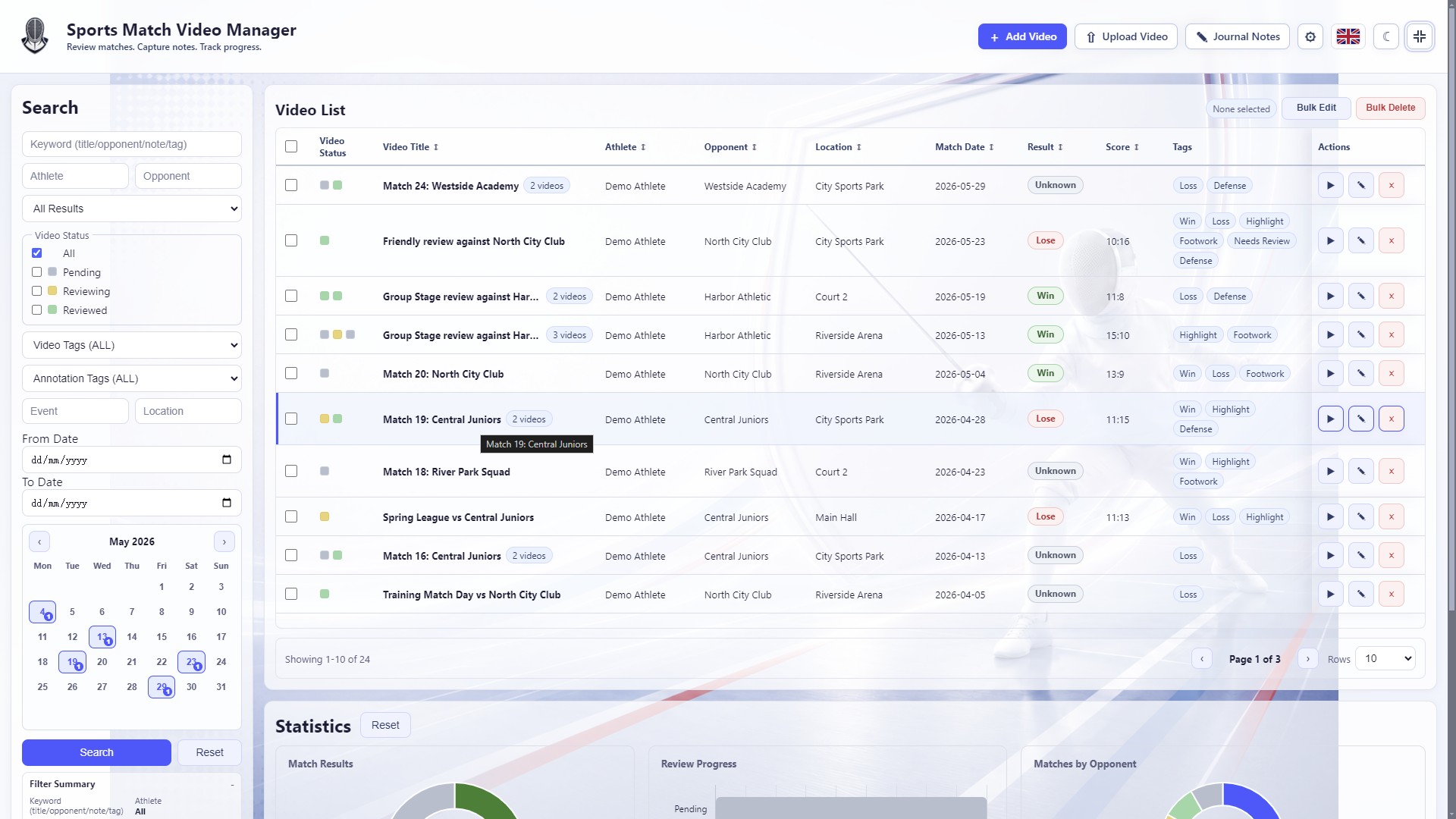 01
01Filter match videos by athlete, opponent, date, result, tags and review status
 02
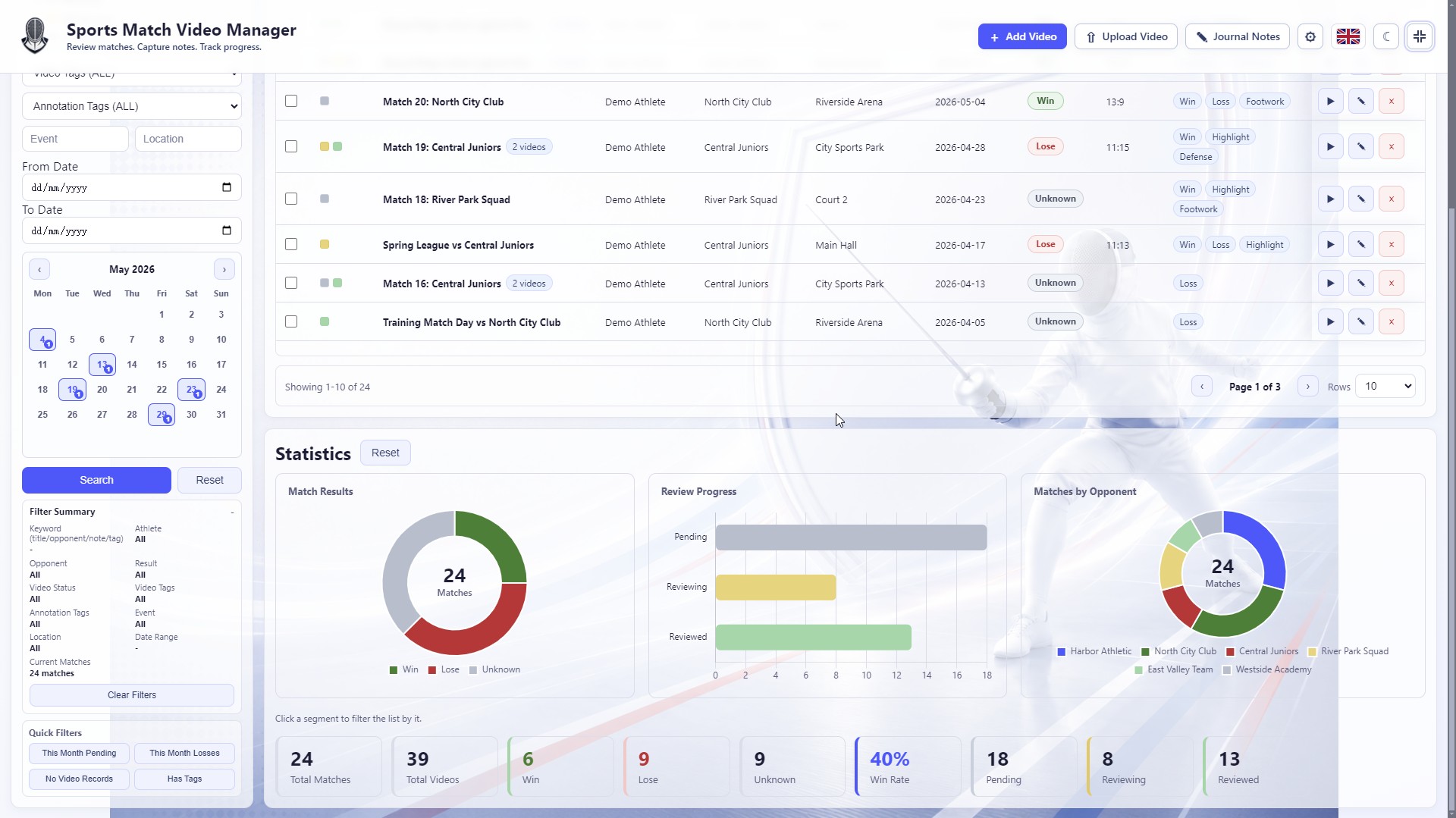
02Use result, review-progress and opponent charts to understand the local library
 03
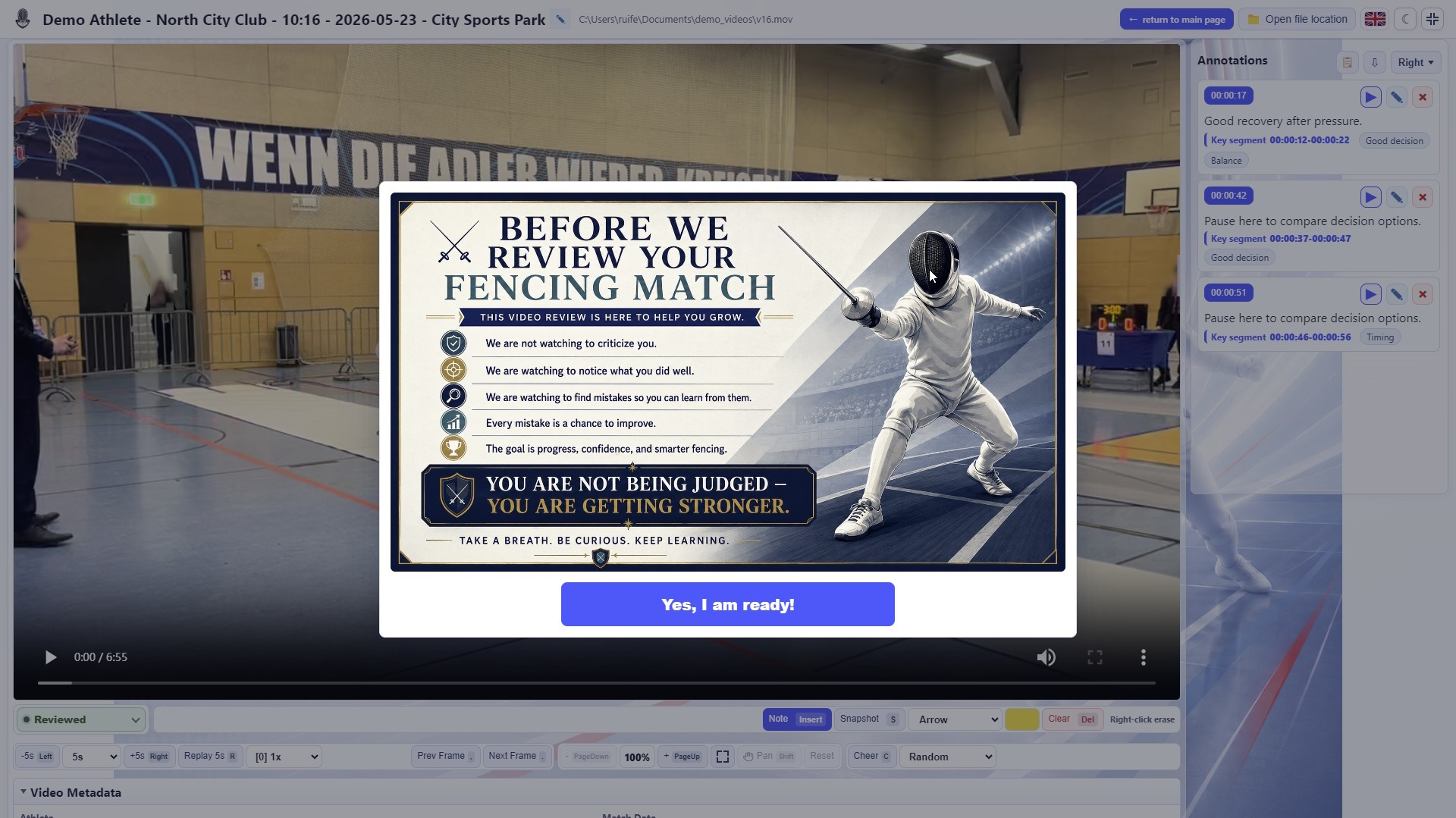
03Show a readiness prompt before review so athletes approach the video constructively
 04
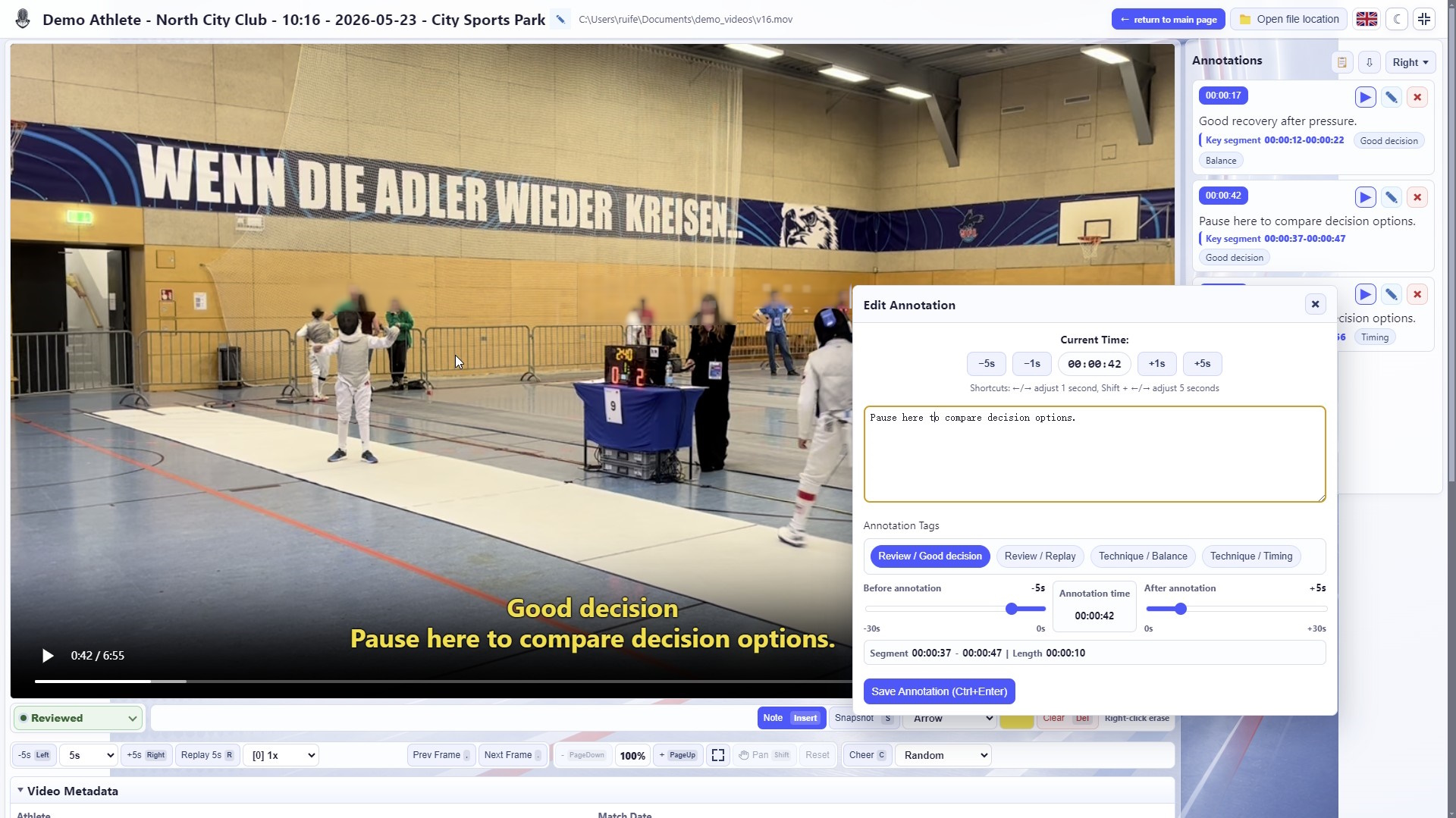
04Adjust note time, clip range and tags to save key moments you can revisit instantly
 05
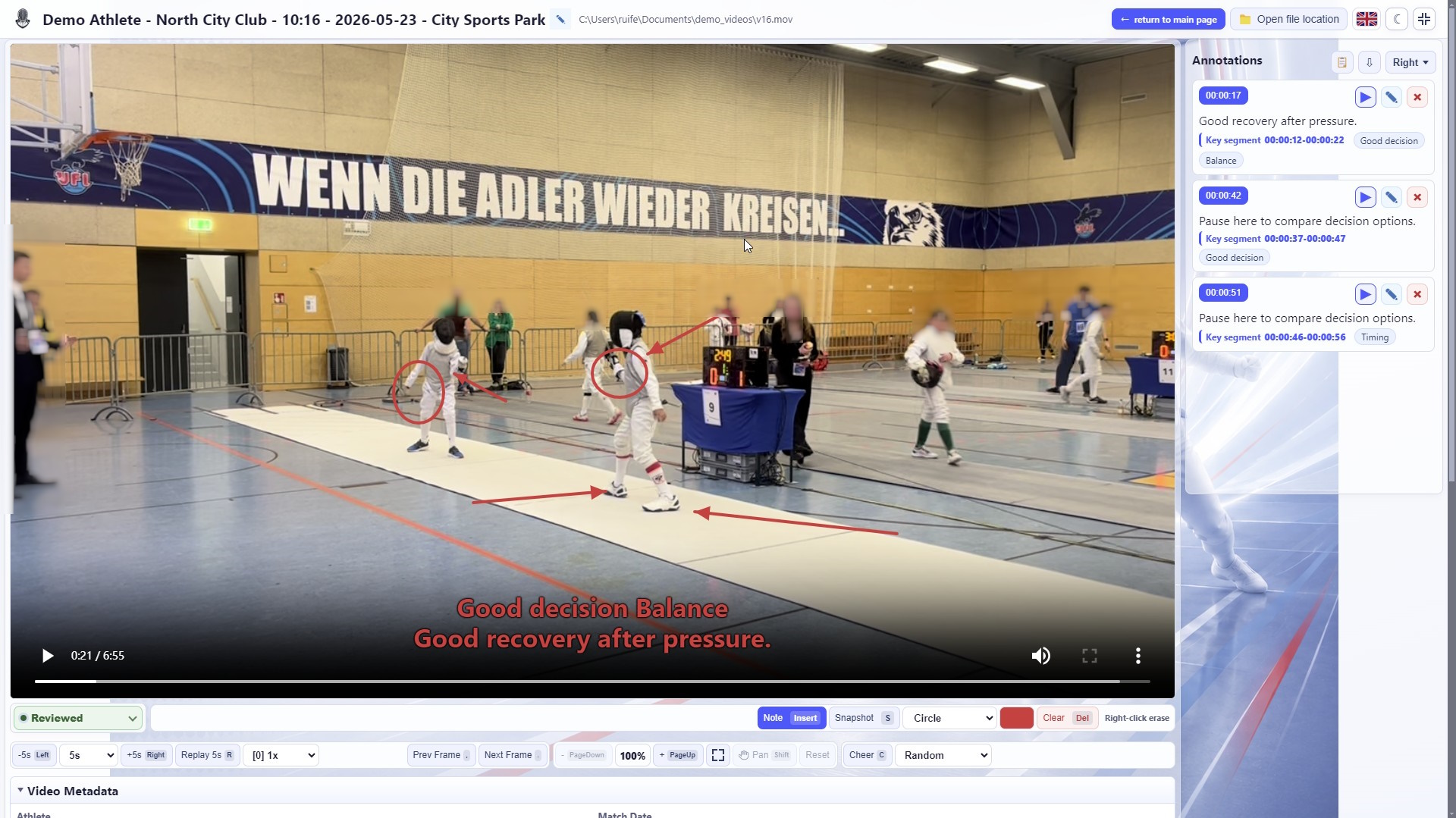
05Draw directly on the video to explain positions, movement paths and tactical choices
 06
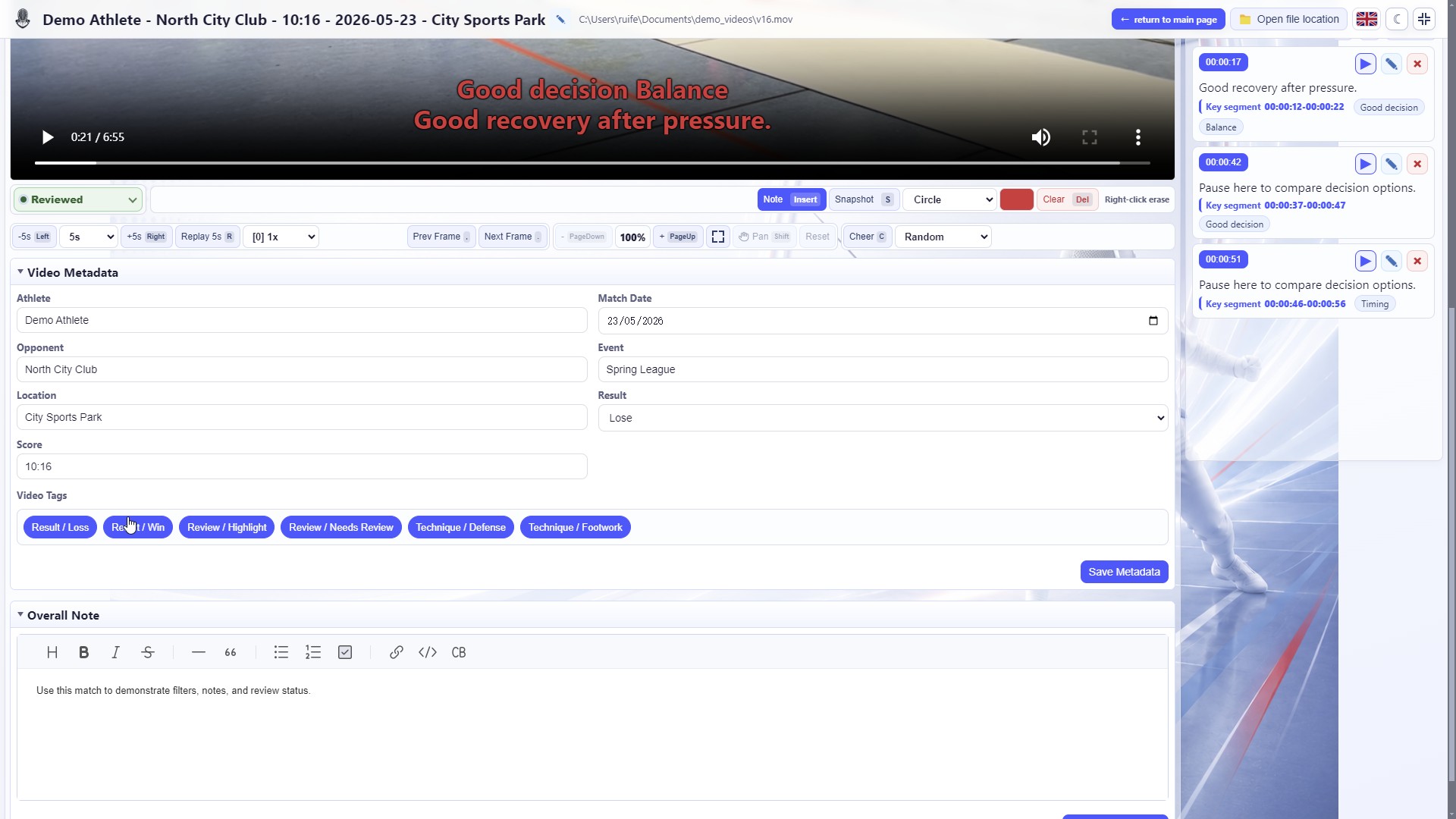
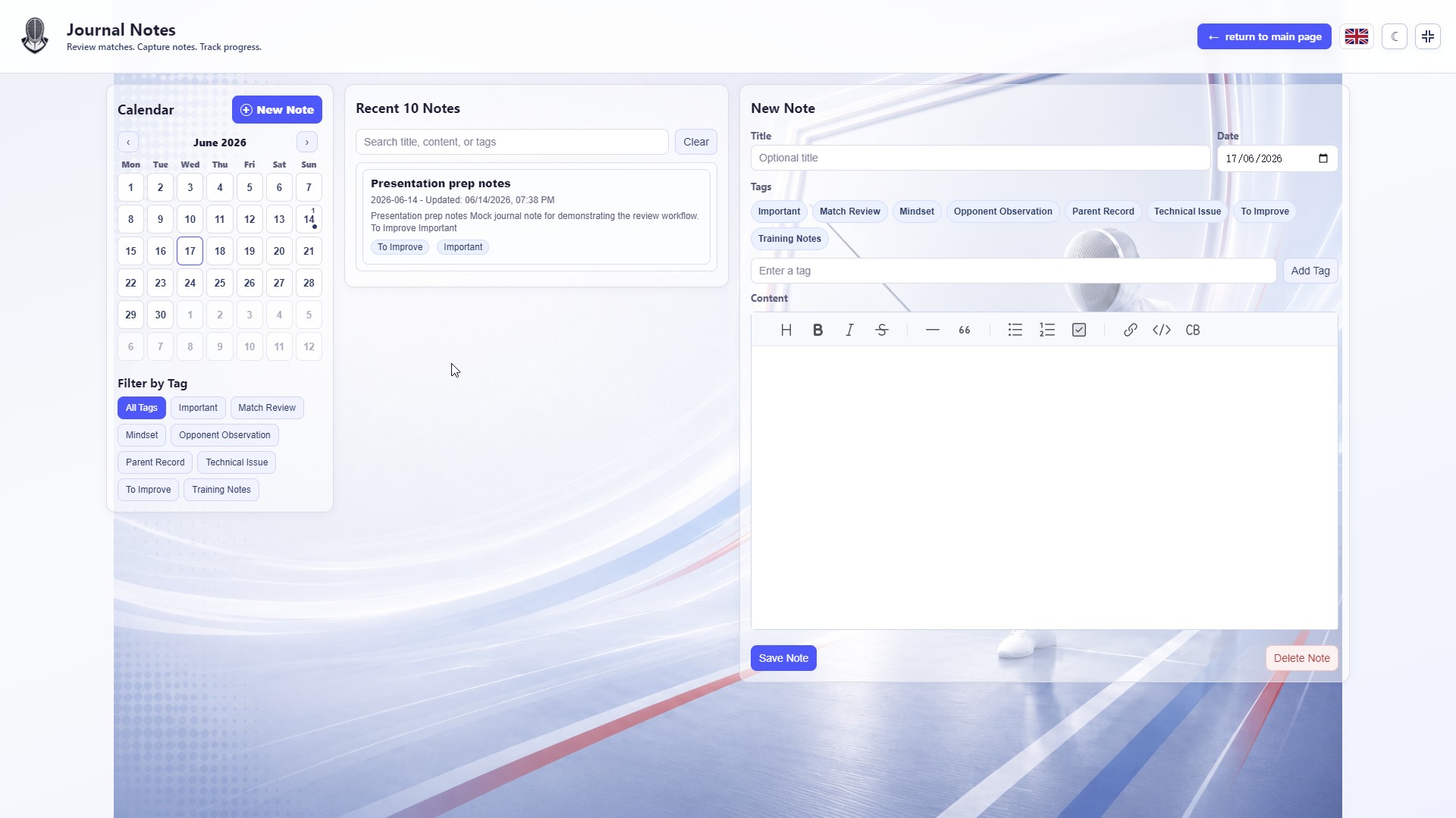
06Record overall match notes to keep long-term training context
 07
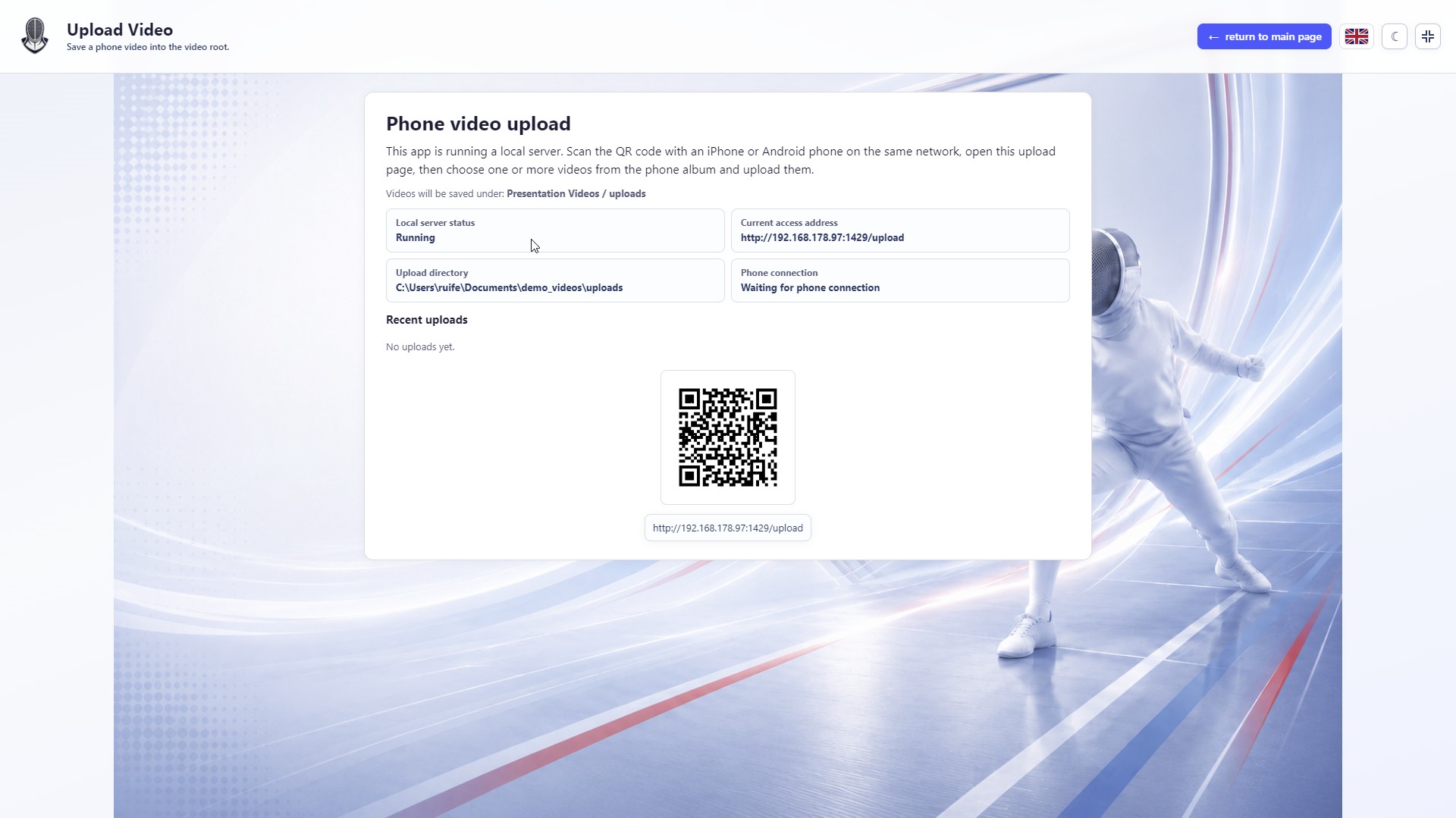
07Upload phone videos to the local video folder through a LAN URL and QR code
 08
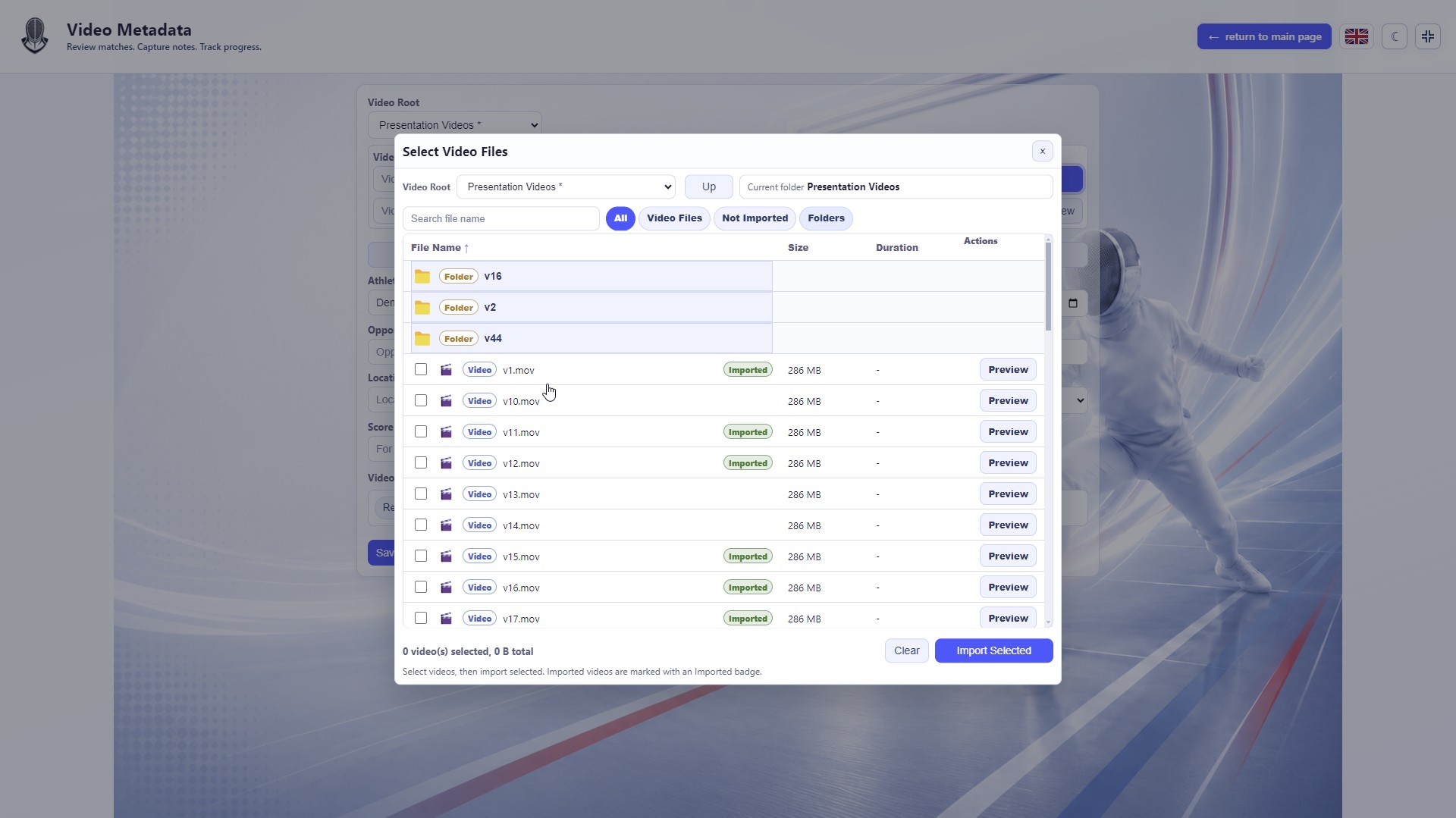
08Browse a local video root, choose files and see which videos are already imported
 09
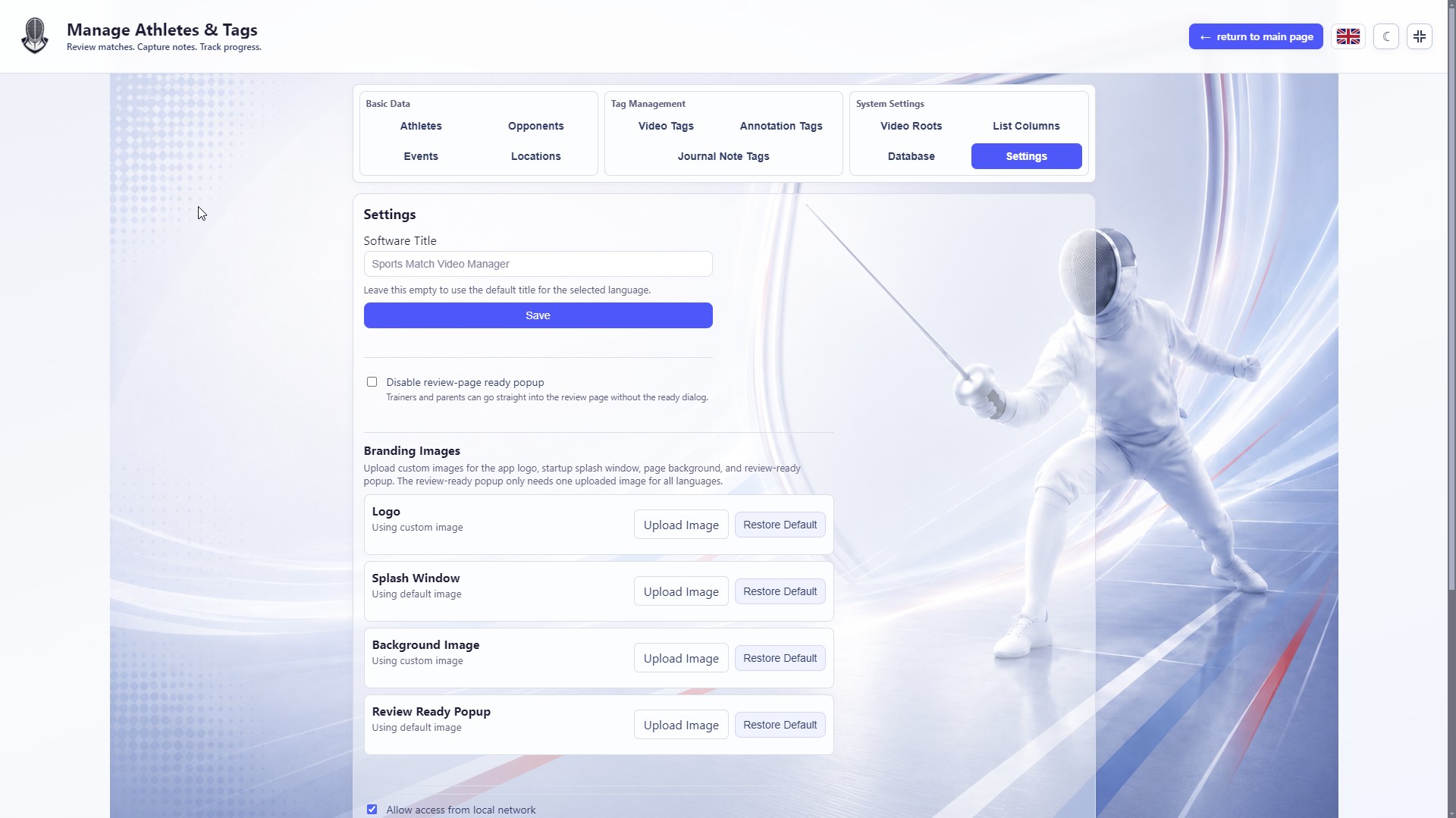
09Enable LAN access in settings and generate a phone-friendly URL and QR code
 10
10Review video with timestamp notes, tags, playback speed and review status
02CONTACT
Contact
Questions, feedback or download issues can be sent by email.
Open to feedback- Studio
- Tide & Forest Studio / 潮林工作室
- Developer
- Ruifeng Zhang
- [email protected]
- Location
- Germany
- Website
- tf-studio.com